Selenium Webdriver provide a way to run(call) Javascript code in your test. There is a Javascript execution function for each language.
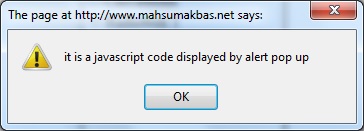
For Python, this function is execute_script(code). you can see a basic usage of this function at below. After run it, you can see alert pop up with. also, you can see that appeared pop up in post.
full code is:
# -*- coding: UTF-8 -*-
import unittest
from selenium import webdriver

class TestClass(unittest.TestCase):

    def setUp(self):
        self.driver = webdriver.Firefox()
        self.driver.set_page_load_timeout(30)
        self.driver.maximize_window()

    def test_MahsumAkbasNet_Pass(self):

        self.driver.get("http://www.mahsumakbas.net/selenium")

        self.driver.execute_script("alert('it is a javascript code displayed by alert pop up')")

    def tearDown(self):
        self.driver.close()

if __name__ == '__main__':
    unittest.main()
appeared alert is that: